Construction software for builders and general contractors
A website that shows your finished projects, proposals the client signs online, deposits and draws paid by card or check, and change orders with a signature on file.
Owners send plans, photos and the lot address from your website, so you know the job before the site walk.
A signed proposal becomes the invoice, and each draw is billed and tracked against the same client.
Our team moves your website, project photos, client list and cost items over from Buildertrend, JobTread or QuickBooks.
Free to start. No credit card required.
Start with your website and add Invoicing, Forms and Payments when you need them.
Find the page for your kind of construction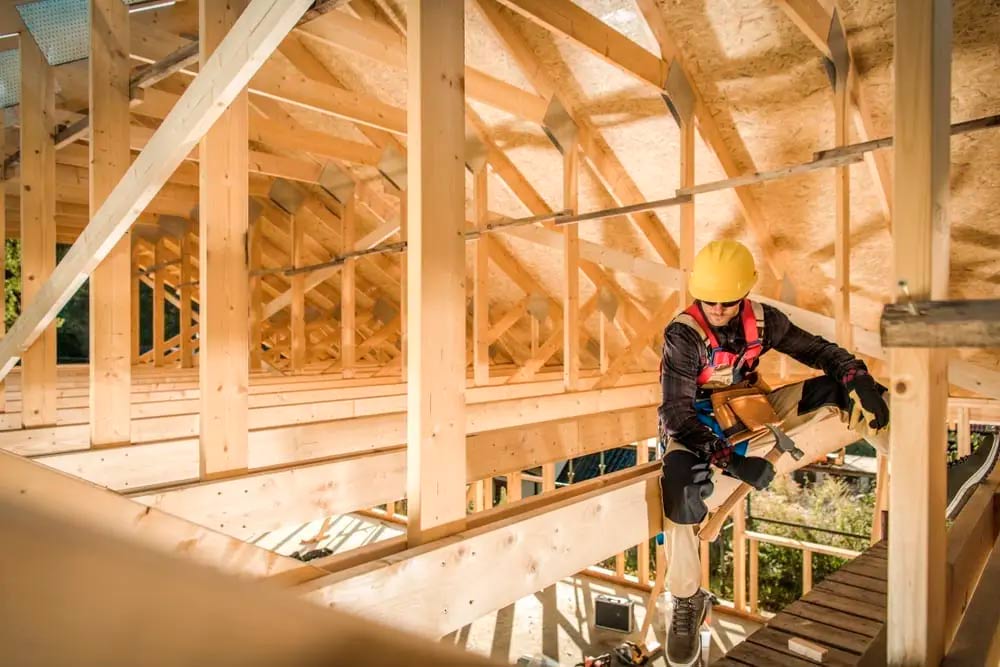
Example website design
“I have a cool website that’s already pulling in clients. Totally recommend Bizwise if you want to get your site up and running without any headaches!” Donna D, Google review
Built around bids, signed contracts and draws
An owner planning a custom home, a deck or a shop build-out looks at finished projects before calling anyone. They want photos of work like theirs, proof you are established and a way to describe the job. A general contractor or a concrete contractor with a dated website and no project gallery loses that bid before the site walk happens.
Construction money moves in stages. A home builder takes a preconstruction fee, then a deposit, then draws at foundation, framing and finish. A deck builder or a pool contractor bills a deposit and a balance. An excavating contractor invoices the builder who hired them on net terms. Invoicing and Payments handle each one, with checks recorded beside card payments.
The evenings go to writing proposals, chasing a signature before materials are ordered and working out who has paid which draw. With Bizwise the client approves the proposal with a signature, pays the deposit from the same email, and each later invoice sends its own reminders around the due date while you are on site.
The apps builders and contractors rely on
A website that shows the work you have built
Put up project galleries for homes, additions, decks, pools or site work, list the kinds of jobs you take and the area you cover, and show your Google reviews. Clients log in to see their proposals, invoices, receipts and the documents you share with them.
More about WebsiteProposals the owner signs, and an invoice for every draw
Build a proposal from your saved cost items, set the deposit as an amount or a percent, and the owner approves it with a signature. It becomes the first invoice on approval. Bill each later draw as its own invoice with payment terms, and partial payments are tracked until the invoice is closed.
More about InvoicingBid requests with plans attached, and signed change orders
A project request form collects the lot or site address, the scope, the budget range and uploads of plans and photos, and one click turns it into a draft proposal. A change order is a form with the added scope, the price and a signature field, and the signed copy is kept.
More about FormsDeposits and draws by card, checks recorded by hand
Owners pay a deposit or a draw from the link in the invoice email, and you are told by text when it lands. Card payments pay out daily, two business days after each payment, at 2.9% + 30¢ per payment. A check from an owner or a builder is recorded on the invoice so the balance stays right.
More about PaymentsSite walks and client meetings on one calendar
Share a link where an owner requests a time for a site walk or a selections meeting inside the hours you set, and approve it from your phone. Invite the architect or the owner to a meeting by email and share the calendar with your project managers.
More about CalendarA Google review request at the final walkthrough
When a home, a deck or a pool is handed over, send the review request from the client's record. It goes by email with two follow-ups, sends happy clients to your Google review page, and your Google reviews show on your website next to the project photos.
More about Review CollectorMore Bizwise apps: Online Booking, Online Store, Customer List, Live Messaging, Email, Ads, Teams
Free to start. No credit card required.
Three projects, from the first inquiry to the last payment
A deck builder's signed proposal
A family wants a composite deck off the back of the house before summer and asks a deck builder for a price.
- 1They fill in the project request on the deck builder's website with the rough size, the height off the ground and photos of the back of the house.
- 2After measuring, the builder turns the request into a proposal with a 30% deposit and emails it. The family approves it online with a signature.
- 3The approved proposal becomes an invoice and the family pays the deposit by card from the same email, so the builder orders the decking.
- 4After the final inspection the builder sends the balance invoice and a review request from the family's record.
Sample data
A custom home builder's preconstruction agreement
A couple owns a wooded lot and is choosing a custom home builder to price their plans before they apply for a construction loan.
- 1They send the builder's new home inquiry form with the lot address, the square footage, their budget range and the architect's plan set attached.
- 2They request a time for a lot walk from the builder's calendar link, and the builder approves it and invites the couple by email.
- 3The builder emails a preconstruction agreement for budgeting, selections and permit coordination. The couple approves it with a signature.
- 4The agreement becomes an invoice and the couple pays the fee by card. Later draws are billed as separate invoices against the same client record.
Sample data
An excavating contractor's invoice to a builder
A home builder needs a basement dug and utility trenches cut on a new lot and asks an excavating contractor for a number.
- 1The builder's project manager fills in the bid request on the excavating contractor's website and uploads the site plan and the foundation drawing.
- 2The contractor emails a quote for the dig, the haul-off and the trenching, and the builder approves it online with a signature.
- 3When the hole is dug the contractor sends the invoice with net 30 terms. The builder mails a check for half, the contractor records it on the invoice, and reminders go out around the due date for the rest.
Sample data
Free to start. No credit card required.
Find the page for your kind of construction
Construction companies
(11)General and commercial contractors who run whole projects, including restorations, office refits and shop interiors.
Home builders
(7)Builders of custom, log, modular and prefabricated homes, and the model home centers that show them.
Decks, pools and outdoor structures
(13)Builders of decks, patios, pools, sunrooms, garages, sheds, pergolas, gazebos, awnings and railings.
Concrete, paving and courts
(8)Concrete, asphalt and stucco contractors, court builders, line markers and the suppliers of stone and paving materials.
Excavation and site work
(10)Excavation, demolition, crane, pile driving and road crews who prepare and build on the ground itself.
Steel and metal construction
(4)Contractors who fabricate and erect steel frames, metal buildings and wind turbines.
Testimonials

If you’re looking for a company that truly cares about your business and delivers outstanding results, look no further than Bizwise.
They helped us grow and completely transformed our website. We don’t just like it, we LOVE it! Highly recommend!
Since I have been with Bizwise they have increased my visits to my website with new and innovative designs.
I have a cool website that’s already pulling in clients. Totally recommend Bizwise if you want to get your site up and running without any headaches!
I knew that I was in good hands after our first conversation. They understood and they delivered.
If you’re looking for a company that truly cares about your business and delivers outstanding results, look no further than Bizwise.
They helped us grow and completely transformed our website. We don’t just like it, we LOVE it! Highly recommend!
Helena Pope
Questions builders ask before switching
We keep clients and estimates in Buildertrend or JobTread. Can you move them?
We keep clients and estimates in Buildertrend or JobTread. Can you move them?
Yes. Our team moves your current website to Bizwise along with what you have set up in the software you use now, including your client list, your cost items and your project photos. You do not enter any of it again.
Can an owner sign my proposal and pay the deposit online?
Can an owner sign my proposal and pay the deposit online?
Yes. You email the proposal, the owner approves it with a signature, and it becomes an invoice automatically. They pay the deposit you set, as an amount or a percent of the contract, by card from the same email.
Can I bill a job in draws?
Can I bill a job in draws?
Yes. Send an invoice at each stage, such as foundation, framing, drywall and completion, built from your saved items with its own due date and payment terms. Partial payments are tracked on each invoice, and the client's record shows every invoice and payment for the project.
Can a client sign a change order before we do the extra work?
Can a client sign a change order before we do the extra work?
Yes. A change order can be a form with the added scope, the price and a signature field, or a new quote the client approves with a signature. The signed copy is stored, and an approved quote turns into an invoice.
Most of my clients and builders pay by check. Can I track those?
Most of my clients and builders pay by check. Can I track those?
Yes. Record a check, cash or any other payment by hand on the invoice, and the balance updates. Clients who prefer a card pay from the invoice link at 2.9% + 30¢ per payment, with payouts sent daily, two business days after each payment.
Can owners send me plans and site photos through the website?
Can owners send me plans and site photos through the website?
Yes. A bid request form can include file uploads for plan sets, surveys and photos, along with the lot address and budget range. You get an email and a text for each submission, and it can be turned into a draft proposal.
Can my invoices and payments get into QuickBooks?
Can my invoices and payments get into QuickBooks?
Yes. Our team gets your Bizwise invoices and payments into QuickBooks in the format it takes, so your bookkeeper works from the same numbers.
Can clients see their contract documents and invoices in one place?
Can clients see their contract documents and invoices in one place?
Yes. Clients log in on your website with a one-time code. They see and approve proposals, see and pay invoices, download receipts and open the documents you share with them, such as plans and selections sheets.
Write the proposal once and get paid on it
Start free with no credit card. Our team moves your website, project photos and client list while you stay on site.
Free to start. No credit card required.