


Effortless Meeting Requests
Share a booking link with your customers and let them self-schedule. Approve or decline requests on your terms.

Team Scheduling Made Simple
See your entire team's availability at a glance. Find open time slots instantly and schedule with confidence.

Ready In Minutes
Set your availability, configure business hours, and start accepting bookings with our guided setup wizard.
Everything You Need To Manage Your Schedule


Your Business Calendar

Week View See your entire week at a glance with all events, tasks, and appointments in one place.
Team Calendars Merge your team members' schedules and see availability overlap to find times when everyone is free.
Smart Scheduling All-day events, timed events, and built-in holiday tracking with timezone support.
Tasks & Blog Posts See your tasks and blog post deadlines right on your calendar for a complete view of your schedule.
Request a Meeting
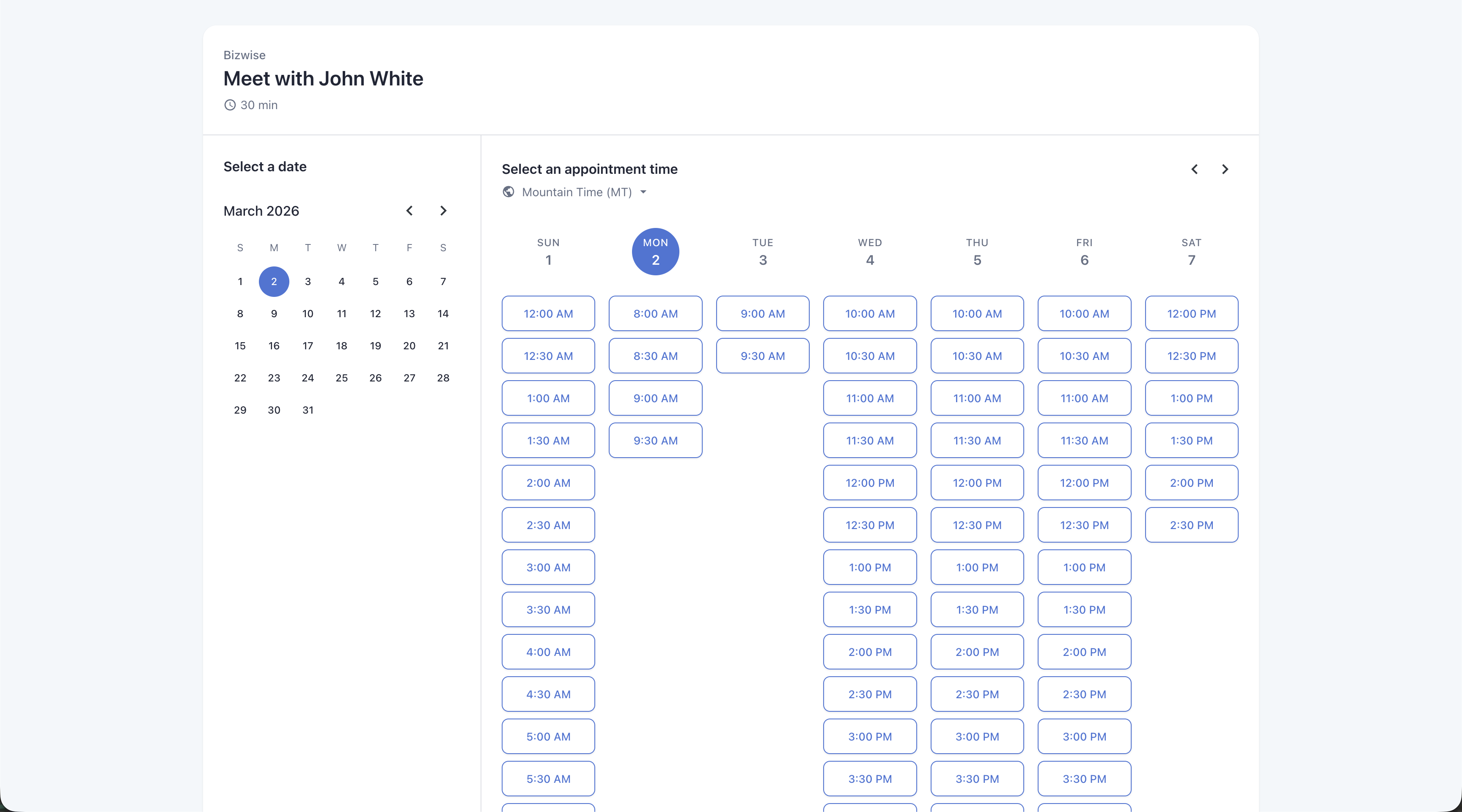
Shareable Meeting Page A professional page where customers can see your availability and request a meeting.
Custom Meeting Links Create custom URLs and share them via email, text, or on your website.
Availability Configuration Set your available hours for each day of the week. Display your business hours clearly.
Approval Workflow Review incoming meeting requests and approve or decline them directly from your calendar.
Simple. Fair. Pricing.
Calendar is included with your Bizwise plan.
CALENDAR APP
FREE
included with Bizwise
Unlimited events & calendars
Shareable booking links
Team scheduling & availability
Holiday integration & timezone support
RSVP tracking
Frequently Asked Questions
Once you set up your availability in the Calendar app, a unique booking link is generated for you. Share it via email, text, or on your website. Customers can view your available times and request a booking directly.
Yes! The multi-calendar view merges your team's schedules and highlights availability overlap, so you can instantly find times when everyone is free.
Yes, the Calendar app is included with Bizwise at no extra cost. All features, including booking links, team scheduling, and holiday integration, are available on every plan.
Yes, the Calendar app includes full timezone support. Events are automatically displayed in each user's local timezone, making it easy to coordinate across locations.
Yes! The Calendar integrates with tasks and blog posts. Deadlines and scheduled items appear directly on your calendar so you have a complete view of your schedule.